Groups and rules
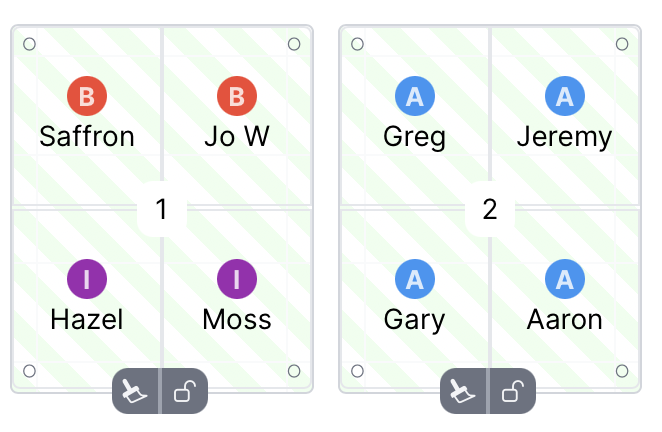
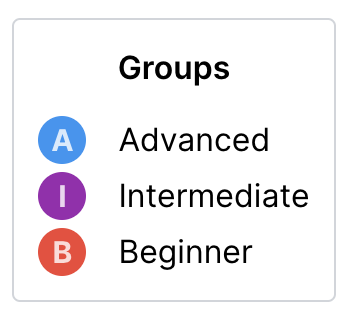
Members can be grouped. This is useful for managing player levels during sessions. The default groups are Beginner, Intermediate, and Advanced, but you can create your own groups.
Levels within groups
Group levels are available with a MixItOne Pro subscription. With Pro you can turn on 1–3 levels per group so players can be marked 1–3 and auto-fill can balance games more finely within that group.
If a group needs finer ability tracking, enable levels for that group.

Players in that group can then be assigned level 1, 2, or 3.

Use levels when a group is still the right scheduling category, but players inside it vary enough that games need extra balancing. For example, you might enable levels for Intermediate players while leaving Beginner players without levels.

Auto-filling
Groups are used by the auto filling feature to decide who can play together. Levels are then used, where available, to help balance games within those group rules.
How auto filling works:
- Players are assigned to courts in pairs based on their group.
- Where a group uses levels, auto-fill prefers level-balanced games, such as 1,2,1,2 over 3,3,3,1.
- Assignment will check the rules you've set - for example if you have a rule that Advanced players only play with other Advanced players, it will respect that.
- Players are given priority based on when they last played and how many games they have played in the current session.
- If a player has a partner then they will always be assigned to the same court as their partner.
You can manually assign players to courts to override the group settings by dragging the players between courts.
Group rules
To customize how filling works you can create group rules. For example, create a rule that makes sure players in the Advanced group only play with other players in the Advanced group:
Customizing groups
You can create as many groups as you need, set the color and shape of the group icon, and choose whether the group uses levels.