Round robin format
The round robin format divides players into groups where everyone plays against everyone else in their group. It's perfect for tournaments where you want to ensure every participant gets multiple matches and a fair assessment of their skill level.
Getting started
When creating a tournament, select "Round Robin" as your format. You'll see options to configure groups, scoring, and optional playoffs.
Group stage
Players are automatically divided into balanced groups. Each player plays against every other player in their group, ensuring comprehensive competition.
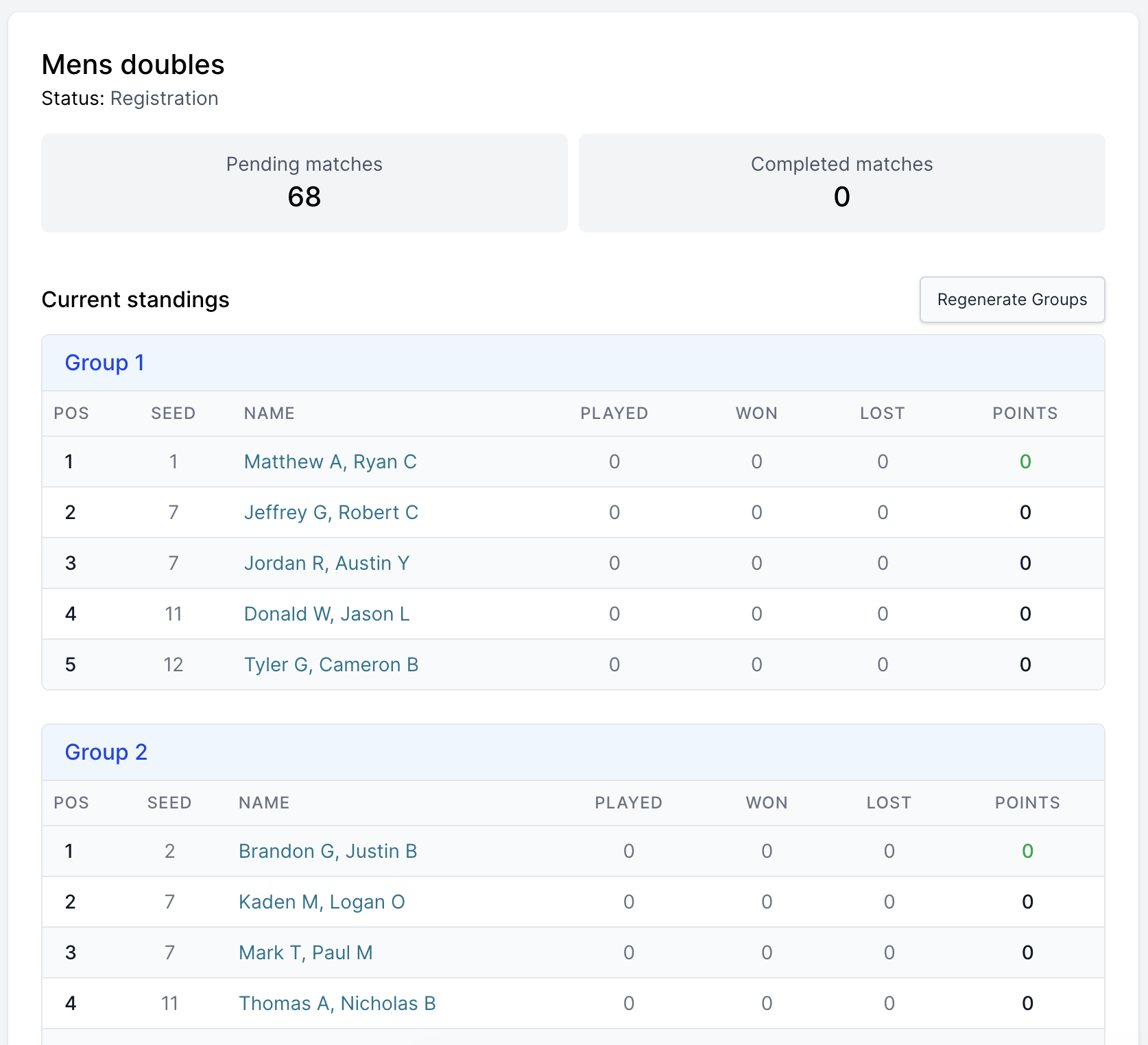
The standings view shows each group with players ranked by their performance. You can see at a glance:
- Current position in the group
- Number of matches played, won, and lost
- Total points earned
- Seed information
Managing groups
Manual group assignment: You can manually change which group an entry belongs to by editing the entry's group assignment. This is useful if you need to balance groups or make adjustments based on player availability.
Regenerate Groups button: The "Regenerate Groups" button creates a new group layout based on entry seeds. This uses a snake draft algorithm to distribute entries evenly across groups while separating top seeds.
Clicking "Regenerate Groups" will override any manual group changes you've made and create a fresh distribution based on the current seed values.
Configuring playoffs
After the group stage, you can add playoff rounds to determine overall winners. This creates an exciting knockout phase where top performers from each group compete.
Basic playoff setup
- Enable playoffs: Check the "Enable playoffs after group stage" option
- Set qualifiers: Choose how many players advance from each group (e.g., top 4)
- Choose divisions: Decide if you want a single playoff bracket or multiple skill-based divisions
Playoff divisions
Divisions let you split qualifiers into separate playoff brackets based on their group performance. This is perfect for creating multiple skill tiers or ensuring balanced competition.
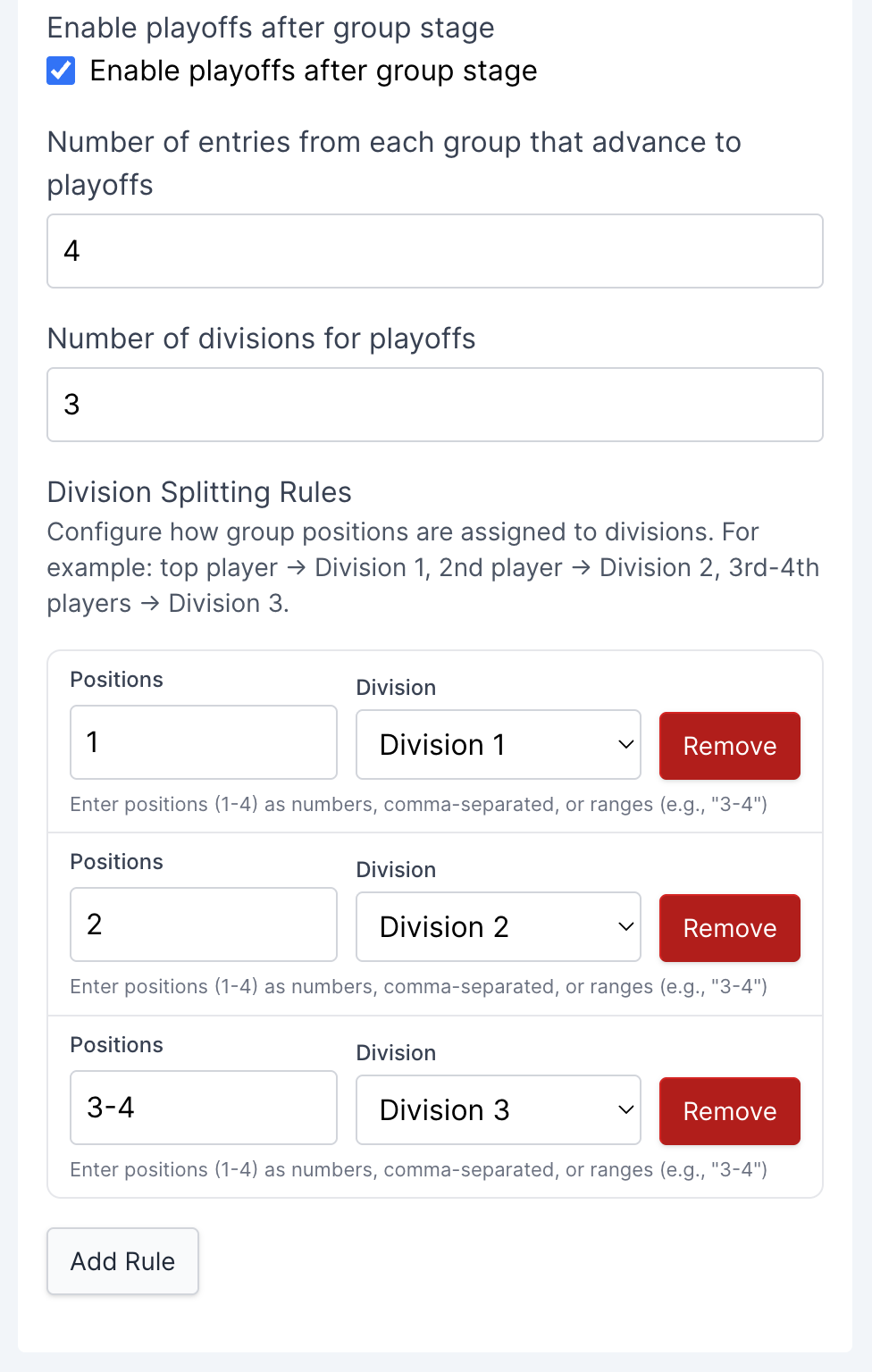
Default distribution
If you don't configure custom rules, qualifiers are distributed evenly across divisions:
- 2 divisions: Top half → Division 1, Bottom half → Division 2
- 3 divisions: Top third → Division 1, Middle third → Division 2, Bottom third → Division 3
Custom division splitting rules
You have full control over how group positions map to divisions. Click "Add Rule" to create custom assignments.
Example: Creating skill tiers
For a tournament with 4 qualifiers per group and 3 divisions, you might configure:
- Position 1 → Division 1 (elite players)
- Position 2 → Division 2 (strong players)
- Positions 3-4 → Division 3 (developing players)
This creates a competitive top division while ensuring everyone gets appropriate competition.
Position input formats:
- Single position:
1(just position 1) - Range:
3-4(positions 3 and 4) - Comma-separated:
1,2,3(positions 1, 2, and 3) - Mixed:
1,3-4(position 1 plus positions 3-4)
Tips for configuring rules:
- Make sure all qualifying positions are covered by at least one rule
- Each position should only be assigned to one division
- Position numbers must be within your "qualifiers per group" setting
- Division numbers start at 1 and must match your total number of divisions
Tournament progression
Once you've configured your tournament, here's how it progresses:

Group stage (rounds 1-5)
Players compete within their groups. The system automatically schedules all matches needed for a complete round robin. You can see:
- Which matches are ready to play
- Current standings in each group
- Progress toward group completion
Playoff stage (rounds 6+)
After all group matches are complete, qualifiers advance to playoff brackets. Each division generates its own single elimination bracket:
- Division 1: Typically the strongest players, fewer entries
- Division 2: Mid-tier players
- Division 3+: Lower tiers, potentially larger brackets
The bracket size depends on how many qualifiers you assigned to each division:
- 4 entries: Semi-finals + Final (2 rounds)
- 8 entries: Quarter-finals + Semi-finals + Final (3 rounds)
- 16 entries: First round + Quarter-finals + Semi-finals + Final (4 rounds)
Scoring system
Points are awarded for match results:
- Win: 2 points (default, customizable)
- Draw: 1 point (default, customizable)
- Loss: 0 points (default, customizable)
You can customize these point values in the tournament settings. Standings are calculated automatically, with head-to-head results used as tiebreakers when players have the same point total.
When to use round robin
Round robin is ideal when:
- You want everyone to play multiple matches
- You need comprehensive skill assessment
- You have 8-32 entries (optimal range)
- You want a league-style format with optional playoffs
- You need to separate players into skill-based divisions
The format works well for:
- Club championships
- Skill-based tournaments with multiple tiers
- Events where you want to ensure fair competition
- Tournaments where you want both group play and elimination excitement
Managing your tournament
During the group stage
- Track progress: Watch standings update in real-time as matches complete
- Regenerate groups: If needed, you can regenerate groups before matches start
- Monitor completion: See how many matches remain in each group
During playoffs
- Division brackets: Each division runs independently
- Automatic advancement: Winners automatically advance to the next round
- Multiple champions: Each division crowns its own winner
The system handles all the bracket logic automatically, so you can focus on running matches and updating results.
Tips for success
Group balance: The system automatically balances groups, but you can manually adjust if needed to ensure fair competition.
Division planning: Think about your division structure before the tournament starts. Consider:
- How many skill tiers you want
- How many players should be in each division
- Whether you want elite competition in Division 1 or more balanced divisions
Time management: Round robin tournaments take longer than single elimination. Plan accordingly:
- Group stage requires all matches to complete
- Playoffs add additional rounds
- Larger divisions take more playoff rounds
Court scheduling: With multiple groups running simultaneously, you'll need sufficient courts. The system helps by showing which matches are ready to play.
Round robin format provides the most comprehensive tournament experience in MixItOne, ensuring every participant gets substantial playing time while creating fair and thorough competition assessment. With playoff divisions, you can create multi-tier competitions that keep players engaged at their appropriate skill levels.